
Description
Start closer to finished.
Four color and monochrome looks built from the place I begin my own edits—daylight balanced, gently sharpened, subtly textured and ready for you to finish.
Four profiles. Four connected presets. One optional luminance-masked grain tool.
Instant digital download for supported RAW files in Lightroom Classic, Lightroom and Adobe Camera Raw.
This is my starting point
I built Signature Looks 01 around the profiles and settings I use as the foundation of my own photographs. It is not designed to finish every image for you. It is designed to put the color, tone and texture in the right place so the remaining decisions are simple.
Apply a look, adjust exposure slightly up or down, correct white balance when the light calls for it, and move Blacks a little lower if you want more contrast. The difficult color work is already inside the profile; the final judgment stays with you.
Four finished profiles, connected to four practical presets
Look 01 — Color
A complete color profile paired with Adam’s daylight-balanced starting settings.
Look 01 — Monochrome
The monochrome counterpart to Look 01, built as a profile rather than a generic desaturation preset.
Look 02 — Color
A second finished color rendering with its own tonal character and the same practical starting workflow.
Look 02 — Monochrome
The monochrome counterpart to Look 02, with the tonal rendering contained inside the profile.
Every preset activates its matching profile automatically. You can also access the four profiles directly from Lightroom’s Profile Browser and control the treatment with the Profile Amount slider.
A considered baseline—not a pile of presets
Each of the four looks begins with:
- A daylight-balanced 5500 K / Tint +19 starting point.
- Subtle global grain already present in the look.
- Gentle sharpening.
- Modest color-noise reduction.
- No forced exposure setting, so you can place the photograph where it belongs.
- No luminance denoise, leaving you free to tailor it to the file and ISO.
White balance is intentionally editable. The daylight setting is where I begin, not where every photograph must end.
Add more grain where it belongs
The base looks already include a minimal layer of grain. When you want more texture, apply Tool — Filmic Grain on top.
Rather than increasing grain evenly across the whole image, the tool uses a luminance-range mask to concentrate the additional grain in selected tonal areas. It is an optional second layer—more character without replacing the subtle texture already built into each look.
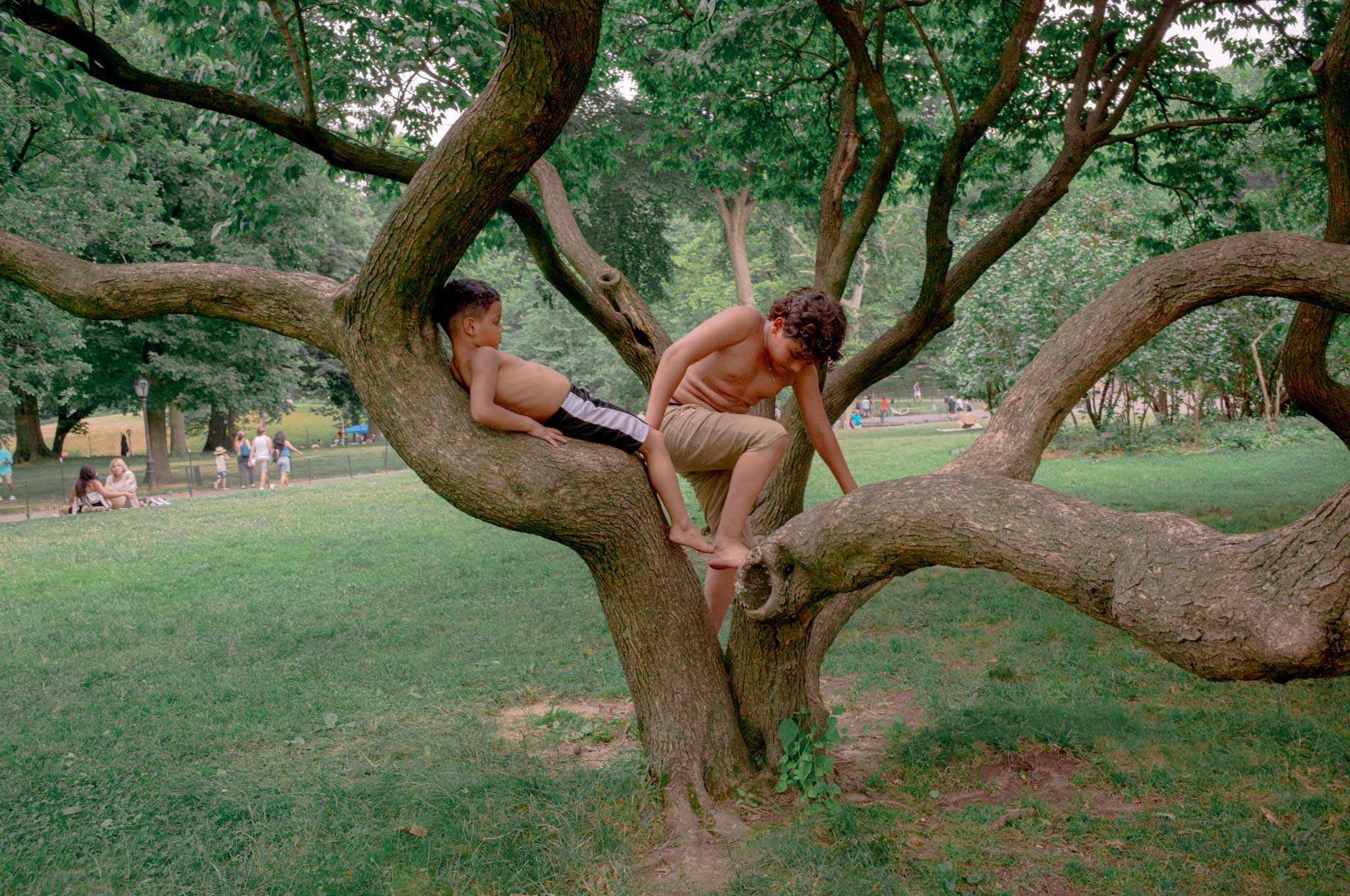
See the looks on real photographs
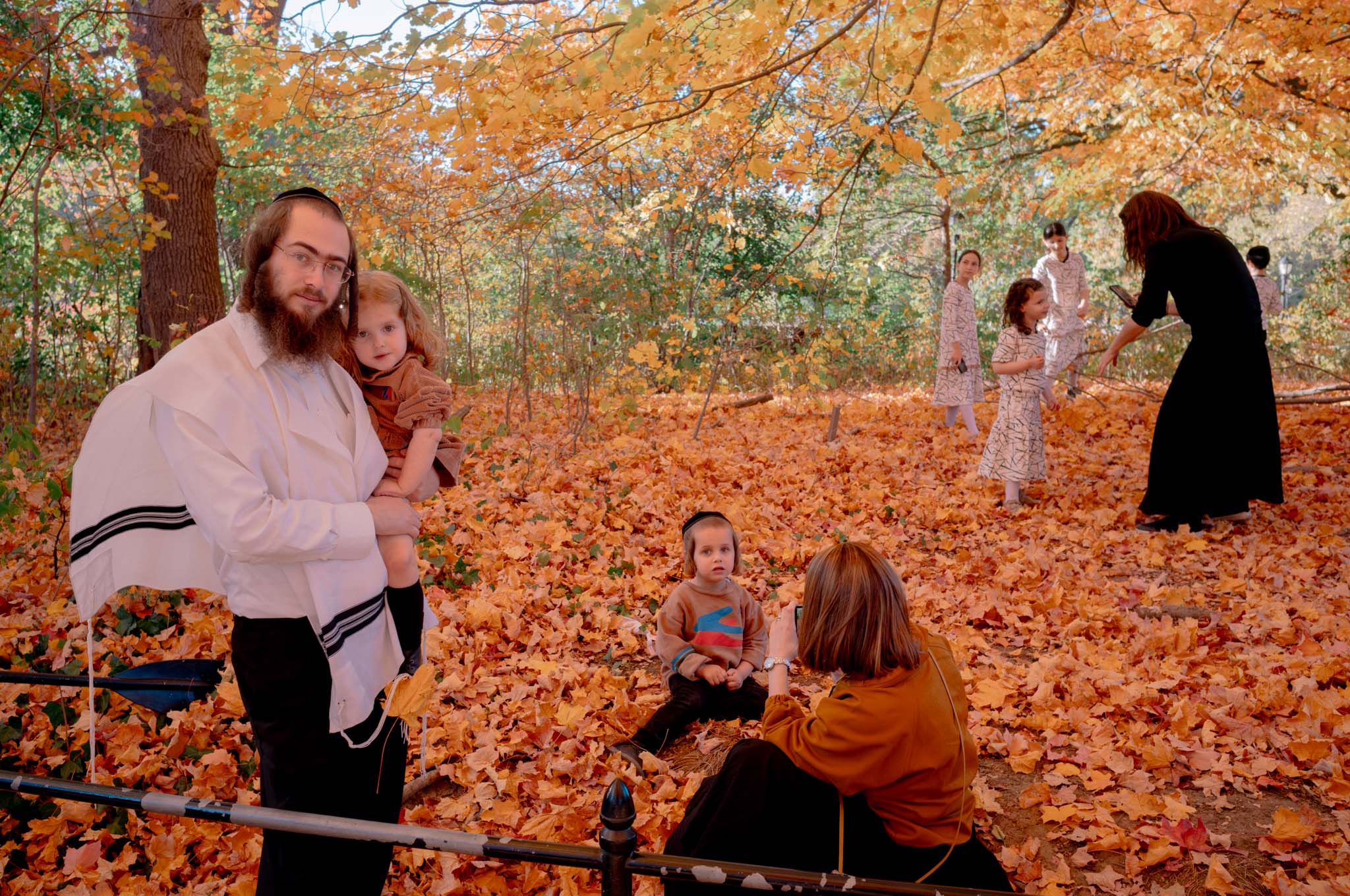
Drag the divider to compare the unedited RAW starting point with the finished profile. Switch between color and monochrome without changing the photograph, crop or exposure.
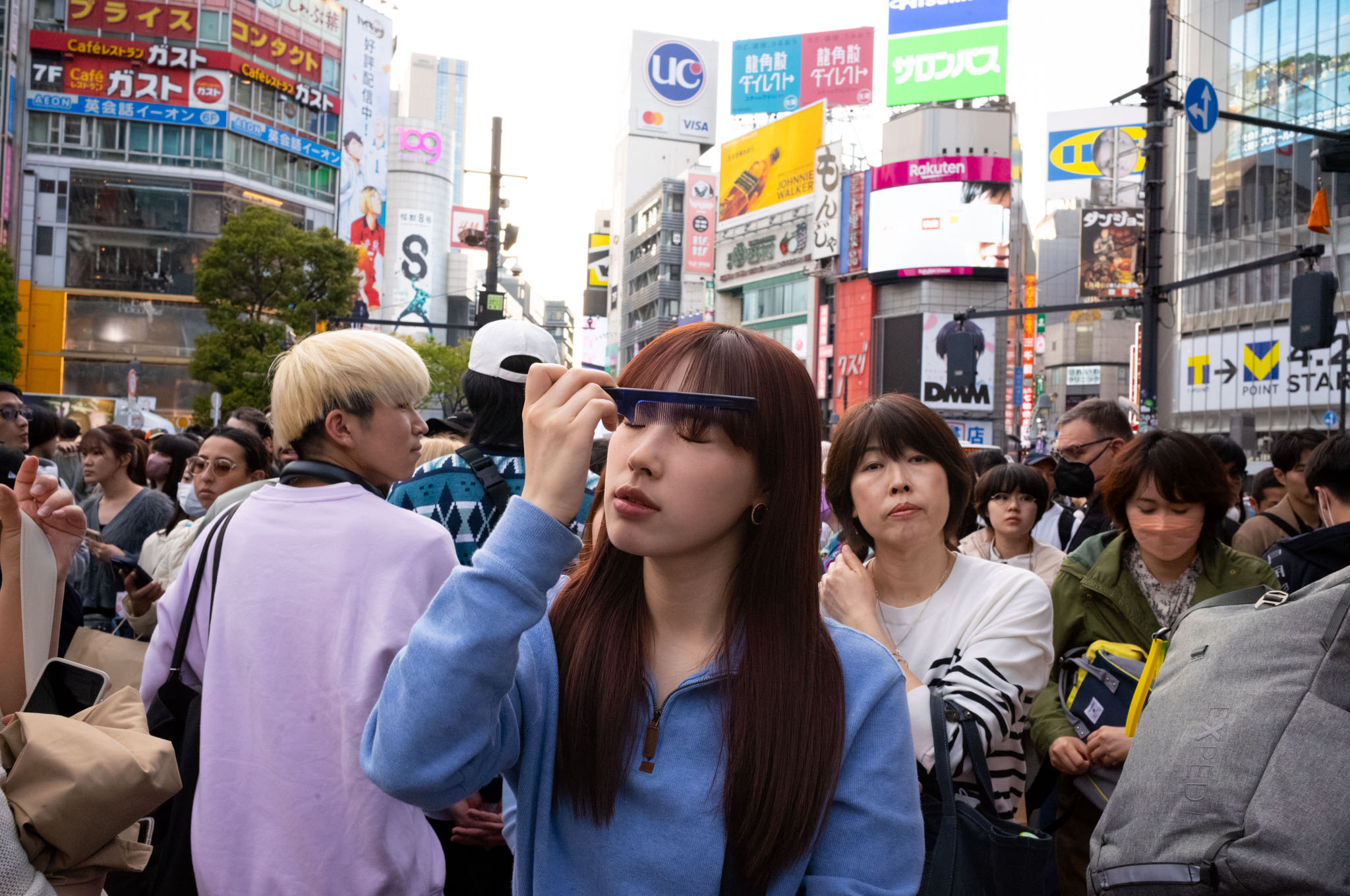
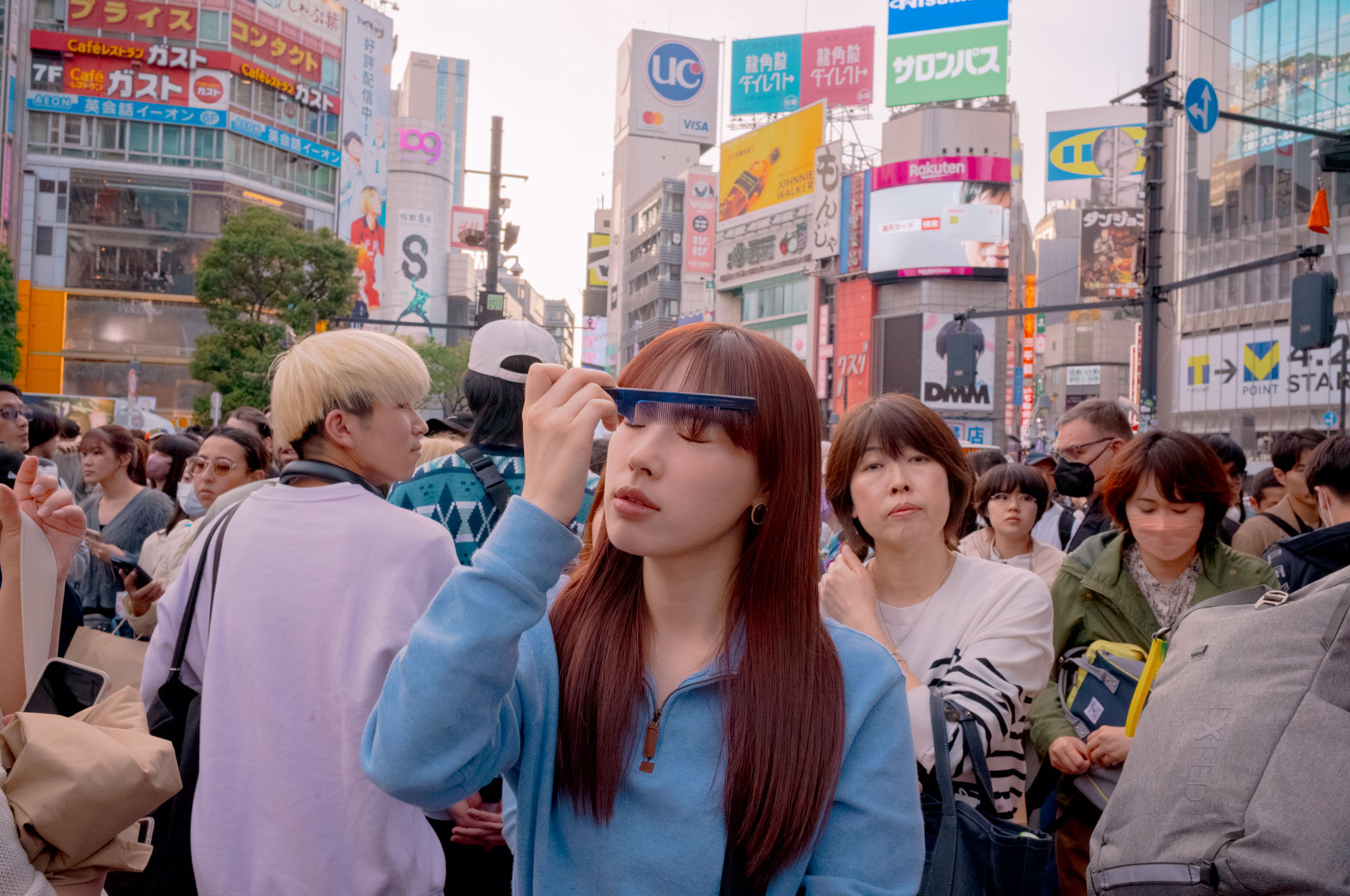 Color Look 02Original
 Color Look 01Original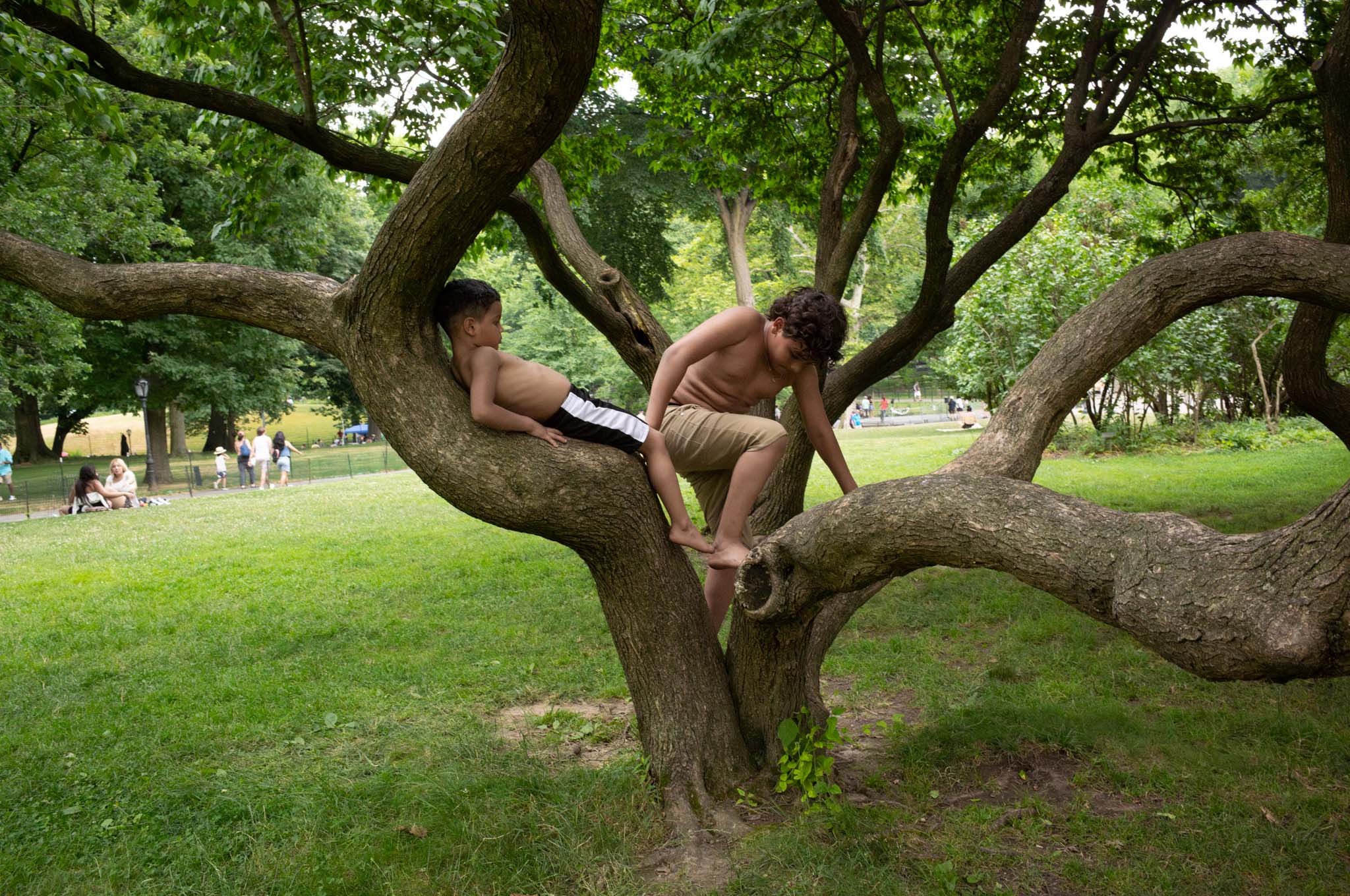
 Color Look 02Original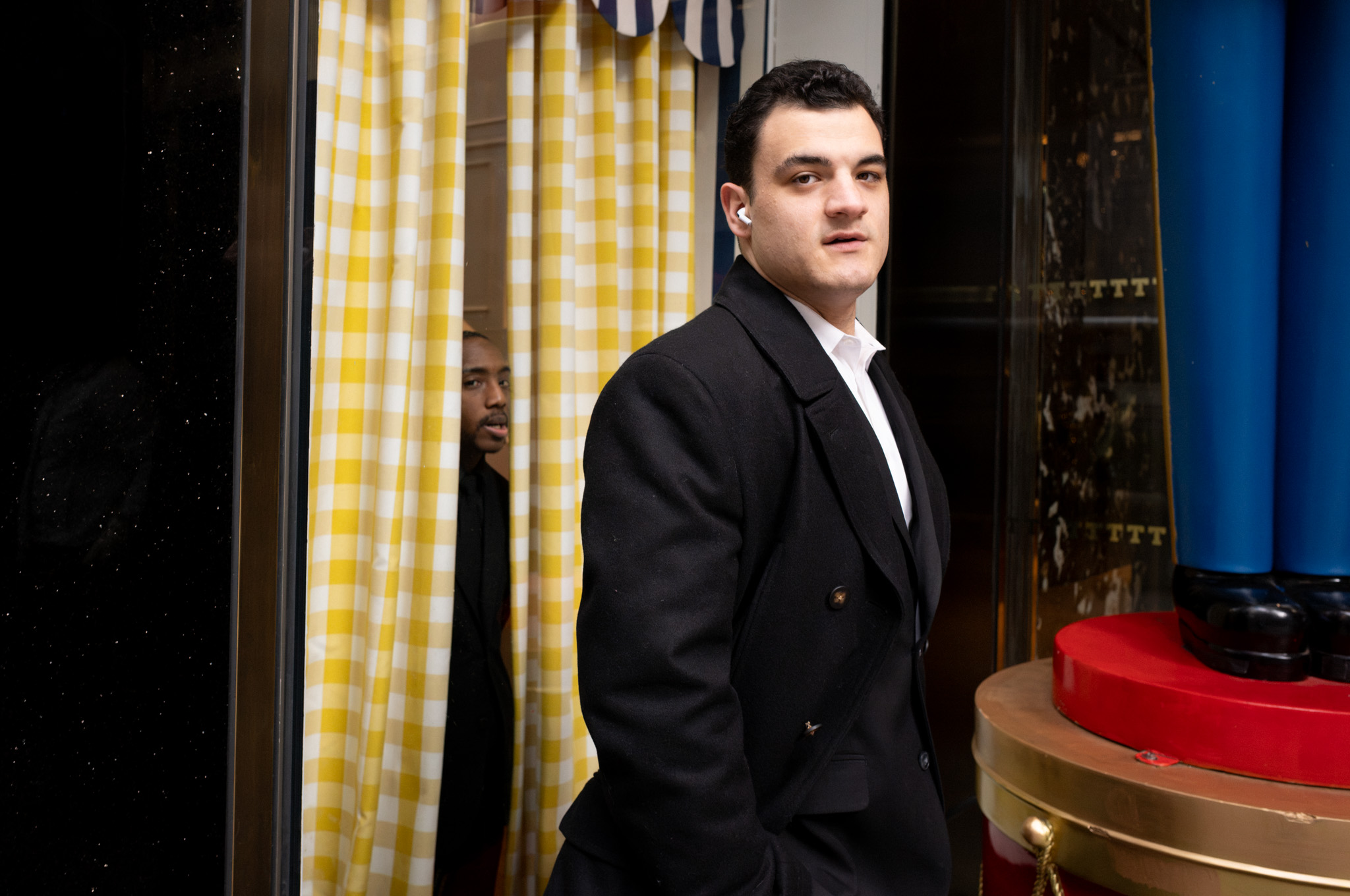
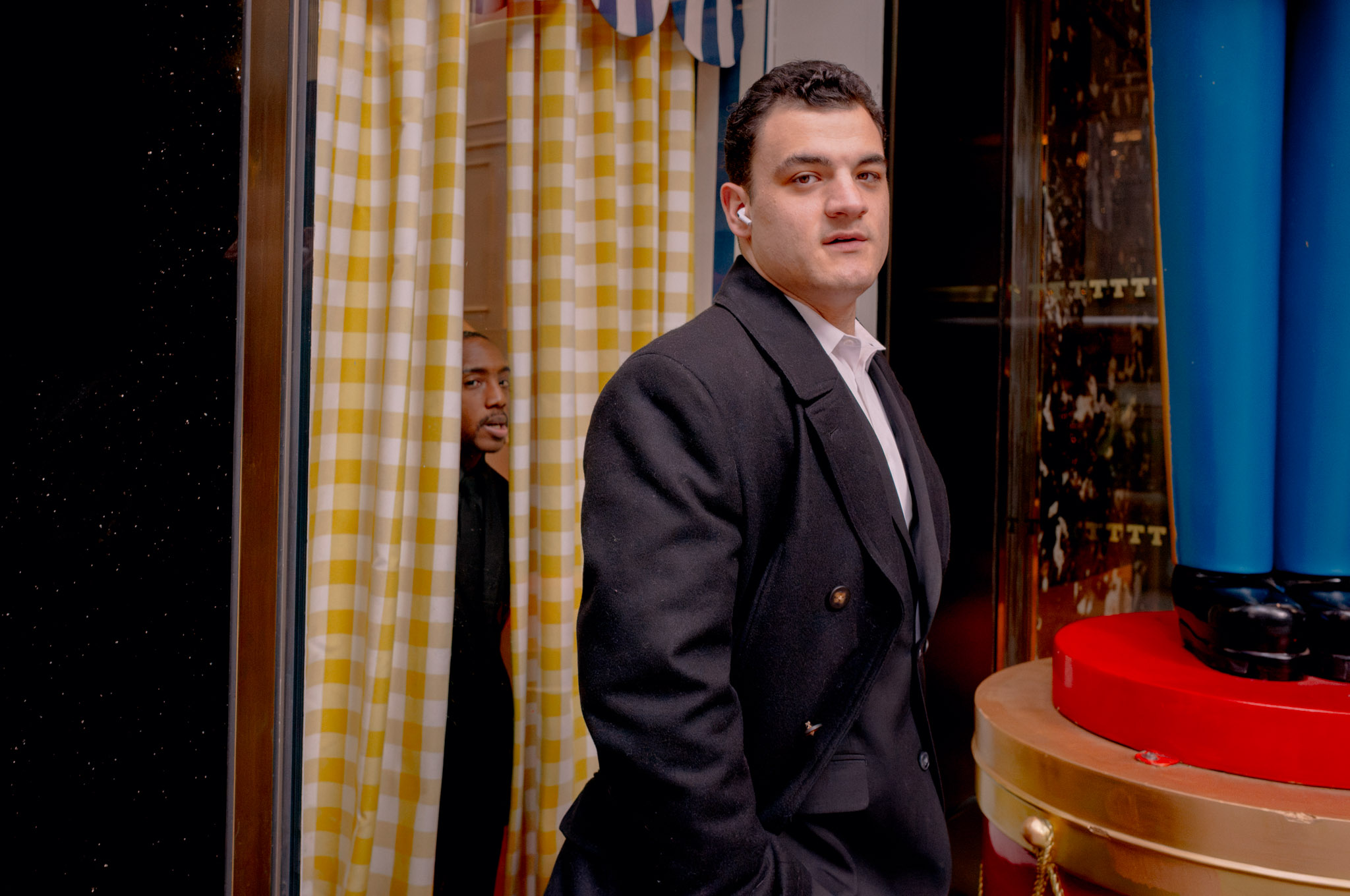 Color Look 02Original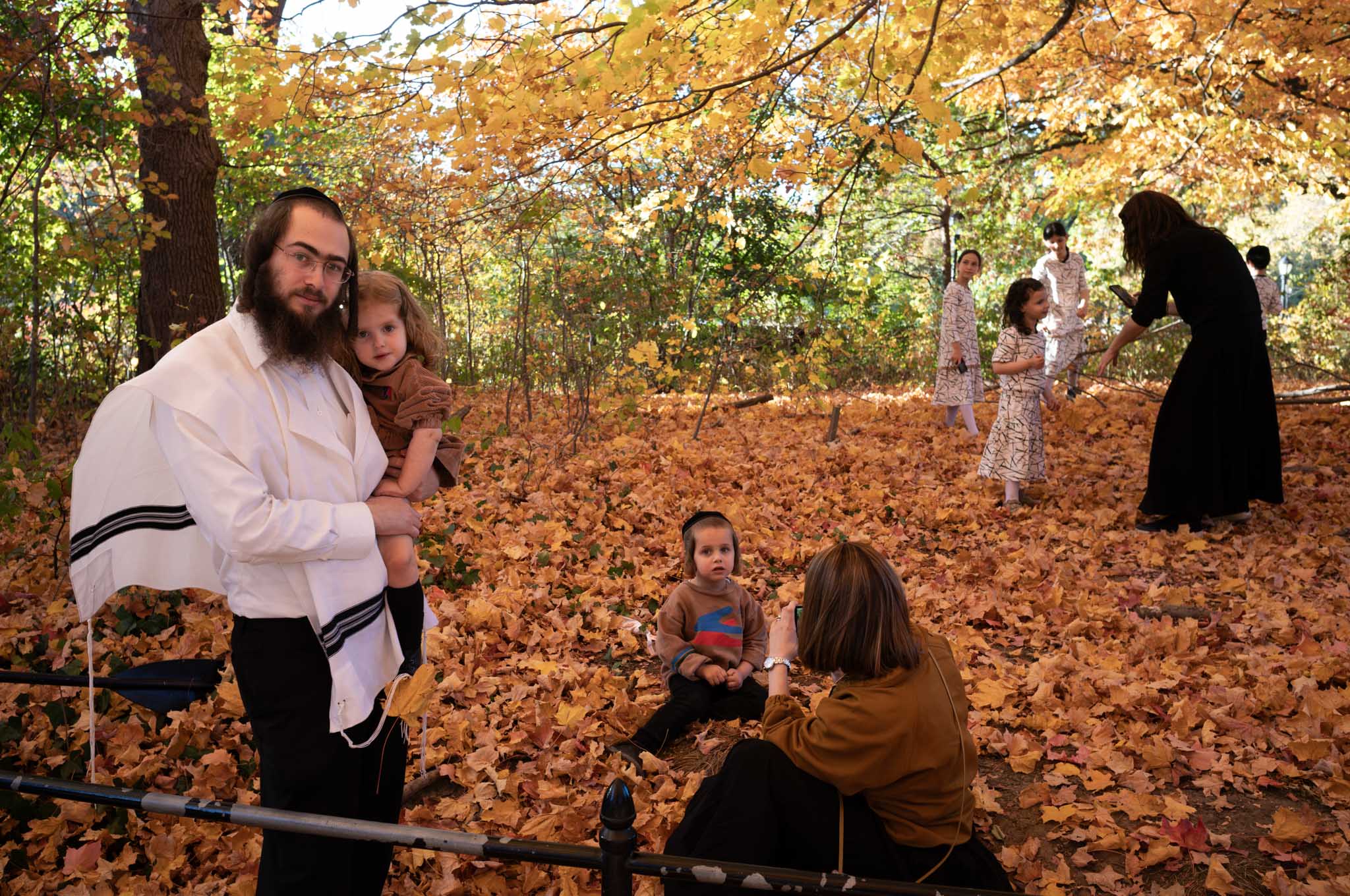
 Color Look 02Original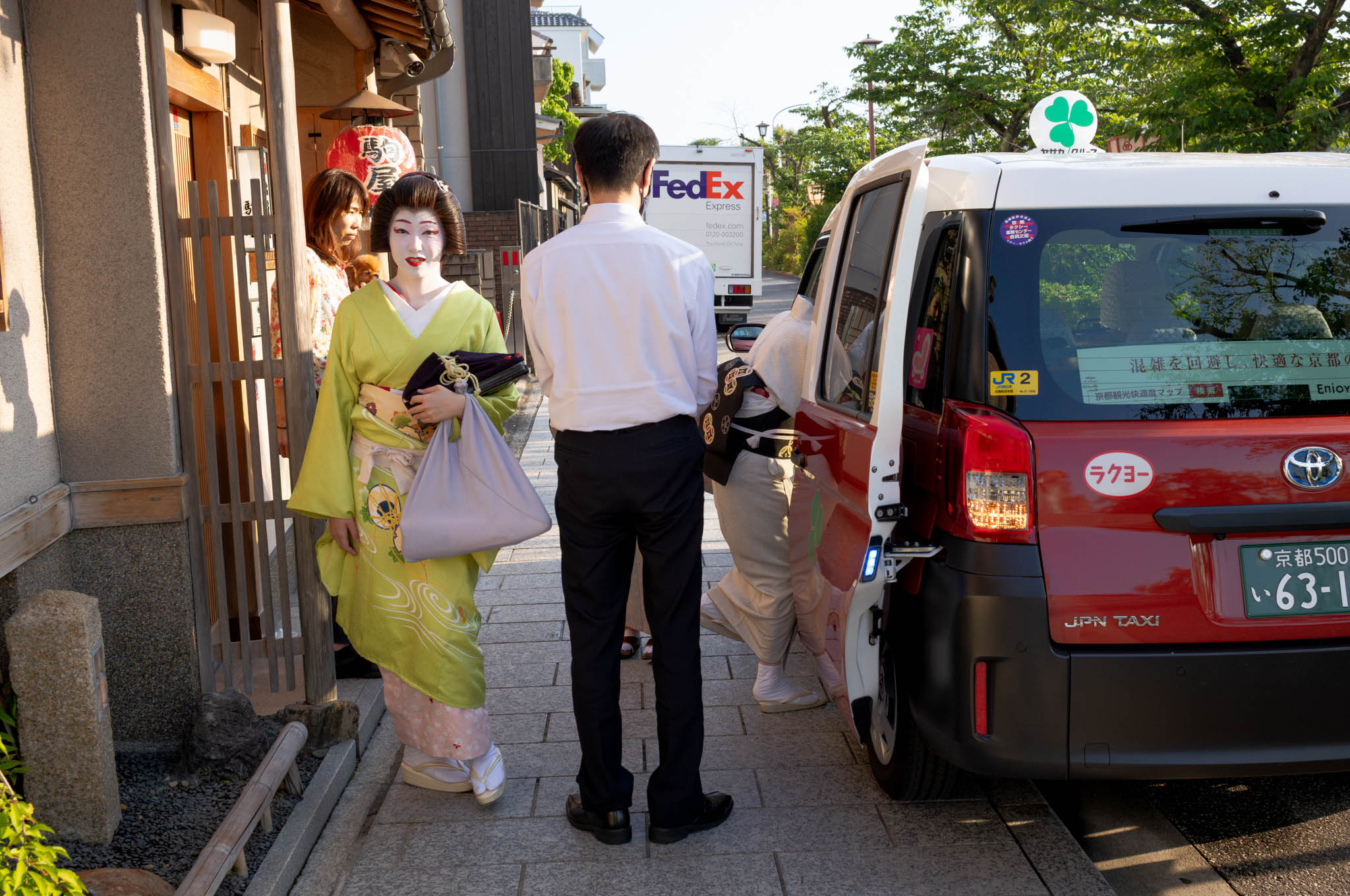
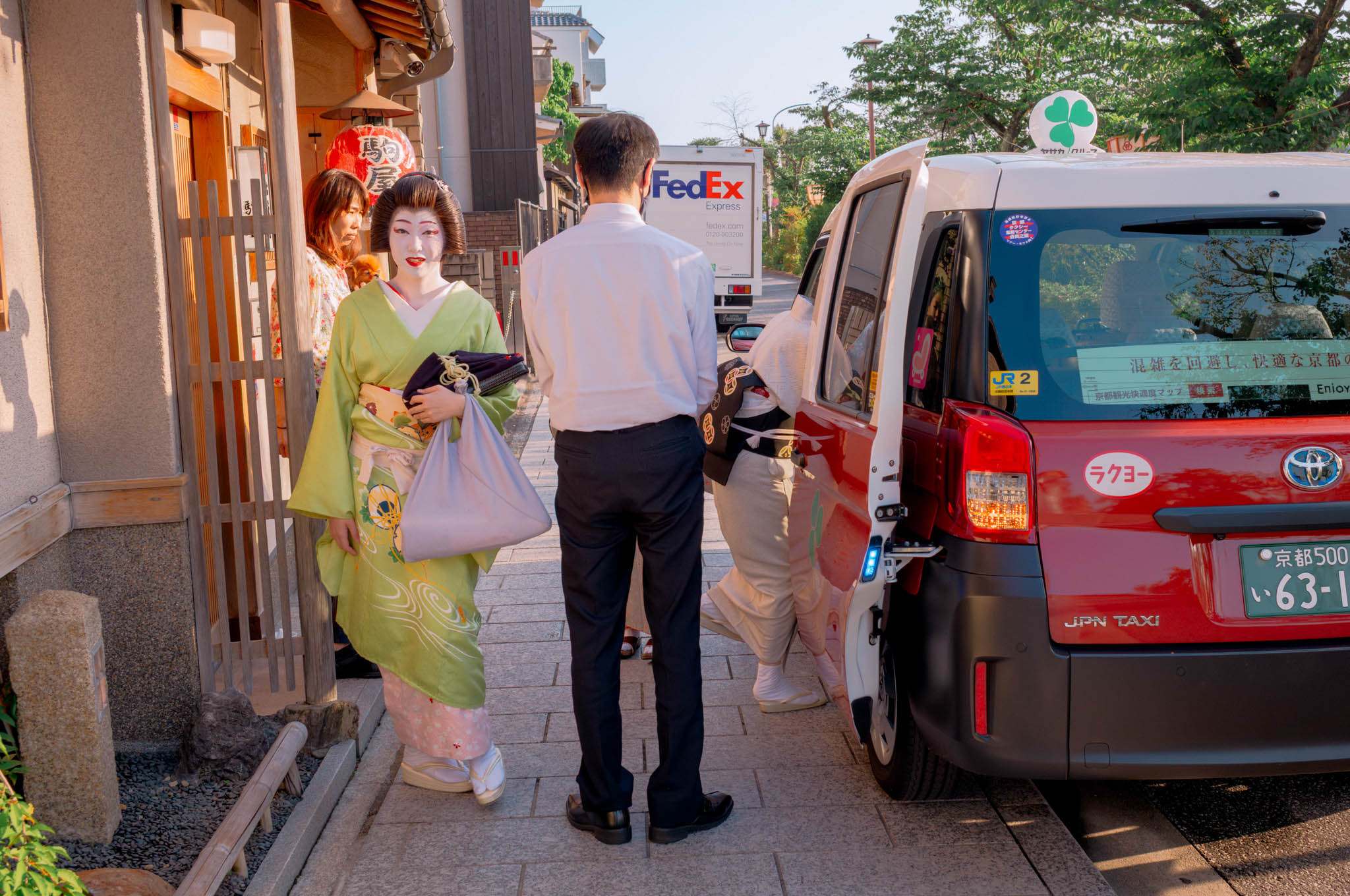 Color Look 01Original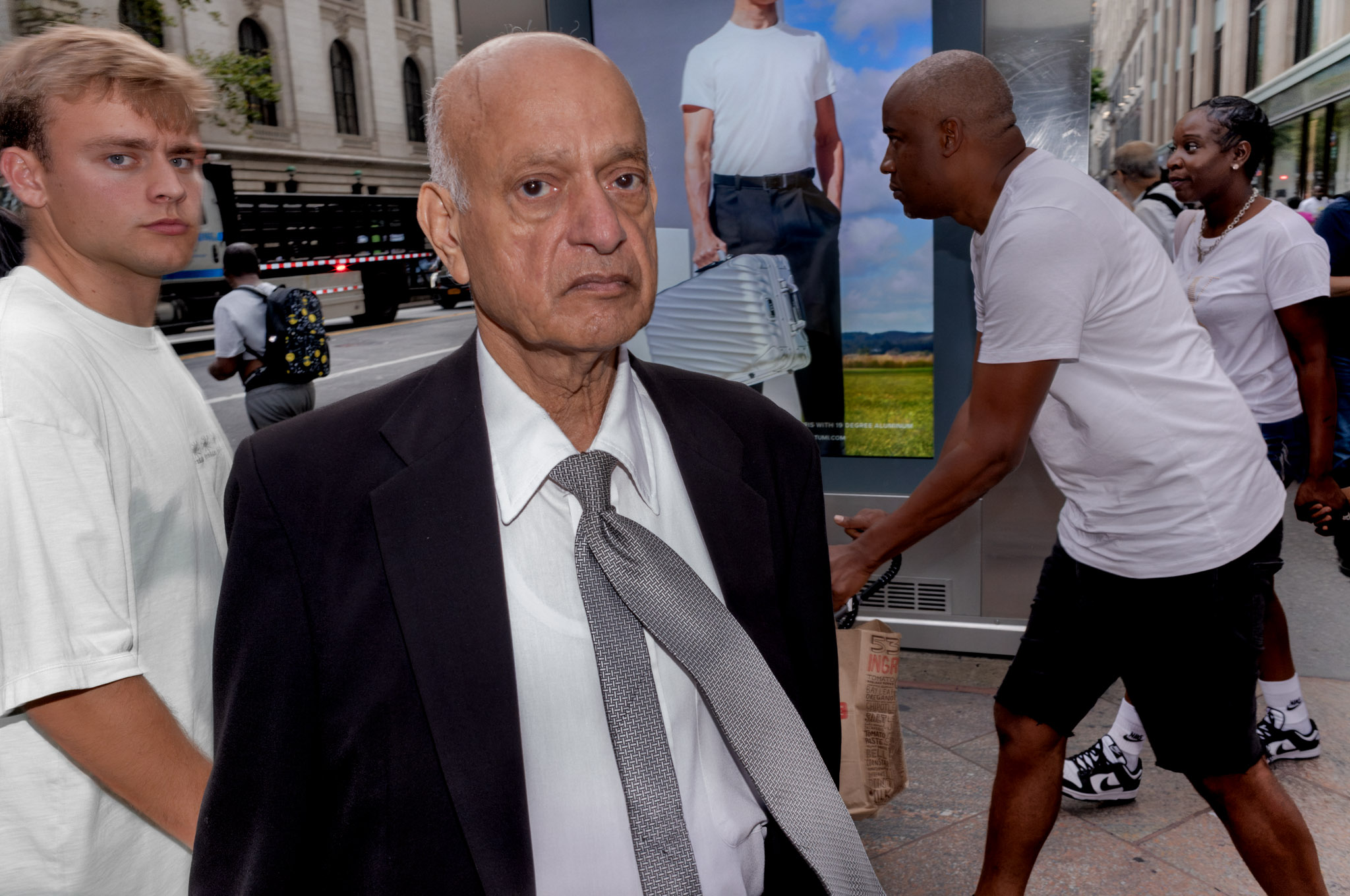
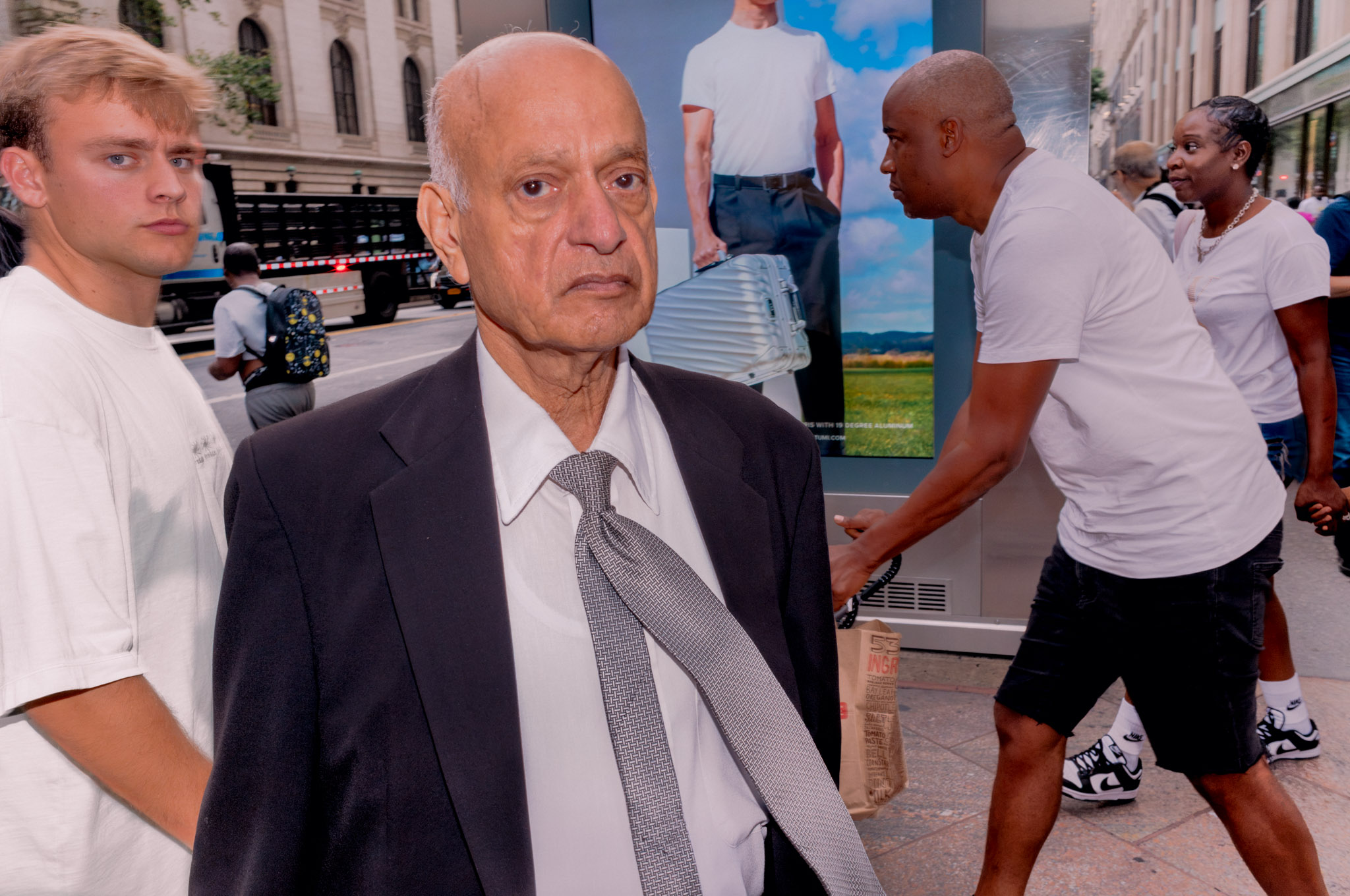 Color Look 02Original
A simple workflow
- Apply Look 01 or Look 02 in color or monochrome.
- Move Exposure slightly up or down.
- Adjust Temperature and Tint for the light and camera.
- Pull Blacks slightly to the left when you want more contrast.
- Add luminance-noise reduction only when the file needs it.
- Apply Filmic Grain when you want a stronger, tonally targeted texture.
What you receive
- Four RAW profiles.
- Four matching Lightroom presets with verified profile connections.
- One optional Filmic Grain tool.
- One-click ZIP installation.
- Manual-install XMP files for troubleshooting.
- Complete installation and usage instructions.
- Version and file-integrity information.
Compatibility
Signature Looks 01 is designed for supported color-sensor RAW files across camera brands. It is not intended for JPEG, HEIC or TIFF files, or native monochrome-sensor cameras.
For the Filmic Grain tool, use Lightroom Classic 12.4, Lightroom 6.4 or Adobe Camera Raw 15.4—or a newer version.
Import the included ZIP through Lightroom or Camera Raw. Lightroom desktop can then sync the installed profiles and presets to supported mobile devices signed in to the same Adobe account.
FAQ
Is this a one-click finished edit?
It is a finished color and tonal foundation, not an automatic substitute for judgment. Most photographs will still benefit from a small exposure adjustment and, depending on the light, a white-balance correction.
Why does the preset begin at 5500 K / Tint +19?
That is Adam’s daylight-balanced starting point. It is intentionally included in the preset and remains fully adjustable after application.
Does the pack include grain?
Yes. Every base look contains subtle global grain. Filmic Grain is an optional second layer that adds more texture selectively through a luminance mask.
Does it include sharpening and noise reduction?
Yes. The starting presets include gentle sharpening and modest color-noise reduction. Luminance denoise is left at zero so you can add the right amount for each photograph and ISO.
Can I change the color treatment?
Yes. The creative color and tonal rendering lives inside the profile, and all Lightroom controls remain available. You can also reduce or increase the profile treatment with the Profile Amount slider.
Will the preset find the profile automatically?
Yes. The customer ZIP contains both parts, and the preset-to-profile connections have been validated in Lightroom Classic. Import the complete ZIP rather than installing the preset files alone.
Does it work with JPEG files?
No. These profiles are designed for supported color-sensor RAW files.
Can I use it on Lightroom mobile?
Import the ZIP into Lightroom desktop first. Adobe Creative Cloud can then sync the profiles and presets to supported mobile devices on the same account.
Begin with the look. Finish with your judgment.
Four connected profiles and presets, plus a selective Filmic Grain tool—the exact foundation behind Adam Inglis’s editing workflow.
Reviews
There are no reviews yet.